


If your JUUL 2 is flashing and you are not sure what it is trying to tell you, you are not alone. The LED lights on the device are designed as a simple diagnostic system. Each color and blinking pattern communicates something specific about battery level, charging status, lock mode, or a pod-related issue.
Most of the time, a blinking light does not mean your device is broken. It means your JUUL 2 is giving you information. Once you understand what each color represents, troubleshooting becomes straightforward and quick.
This guide breaks down every JUUL 2 flashing light meaning clearly, explains why it happens, and shows you exactly what to do next.
Understanding How JUUL 2 LED Indicators Work
The JUUL Labs, Inc. designed the JUUL 2 with a four point LED array on the front. These lights respond to charging, drawing, locking, and internal diagnostics.
Unlike older models that used a single indicator, JUUL 2 uses multiple LEDs to communicate more detailed information. That is why you may see different colors or patterns instead of a simple solid light.
Think of the LEDs as a status panel. They tell you:
- How much battery you have left
- Whether the device is charging
- If the device is locked
- If the pod is not seated correctly
- If there is an error requiring attention
Let us go through each one.
Quick Reference Table: JUUL 2 Light Colors Explained
| Light Color or Pattern | What It Means | What You Should Do |
| Pulsing White | Device is charging | Leave connected until fully charged |
| Solid Green | Battery level is healthy | Continue using normally |
| Yellow or Amber | Battery is mid level | Plan to charge soon |
| Red | Battery is low | Charge immediately |
| All Four Red | Device is locked | Unlock using the JUUL app |
| Purple or Rainbow Flash | Pod or device error | Reseat pod or troubleshoot |
This table gives you the fast answer. Now, let us break each one down in detail.
Pulsing White Light
If you see a soft pulsing white light, your JUUL 2 device is charging. This is completely normal behavior.
While connected to the charger:
- The white light pulses during active charging
- The pattern slows as the battery fills
- Once fully charged, the device stops pulsing
If your device is plugged in and there is no light at all, check the cable and power source first. Use the official charging cable whenever possible. Third party cables can sometimes cause inconsistent charging behavior.
If the white light flashes briefly when you insert the pod, that is also normal. It indicates the device has recognized the pod.
Solid Green Light
A green light indicates your battery level is strong. It means the device has sufficient charge for continued use.
If you take a draw and see green:
- Battery is above low threshold
- Device is operating normally
- No action is required
There is no need to charge immediately. However, if you notice performance dropping even when green appears, that could point to a pod issue rather than a battery.
Yellow or Amber Light
When the light turns yellow or amber, your battery is approaching mid-range.
This is an early warning stage. The device is still usable, but you should consider charging soon.
Common scenario:
- You see yellow after taking a puff
- Performance feels slightly weaker
- The device still functions normally
This stage is not urgent, but delaying charging too long may lead to red light warnings.
JUUL and JUUL 2 Device Explained: Parts, Pods, and Charging in Dubai
Red Light on JUUL 2
A red light typically means low battery.
If you take a draw and see red:
- Battery level is critically low
- Vapor production may decrease
- The device will soon stop firing
At this point, connect the charger as soon as possible. Continuing to use the device while deeply discharged can reduce long-term battery performance.
If the red light appears immediately after charging, unplug and reconnect the cable. If the issue continues, test a different power outlet.
All Four Red Lights
This is where many users get confused.
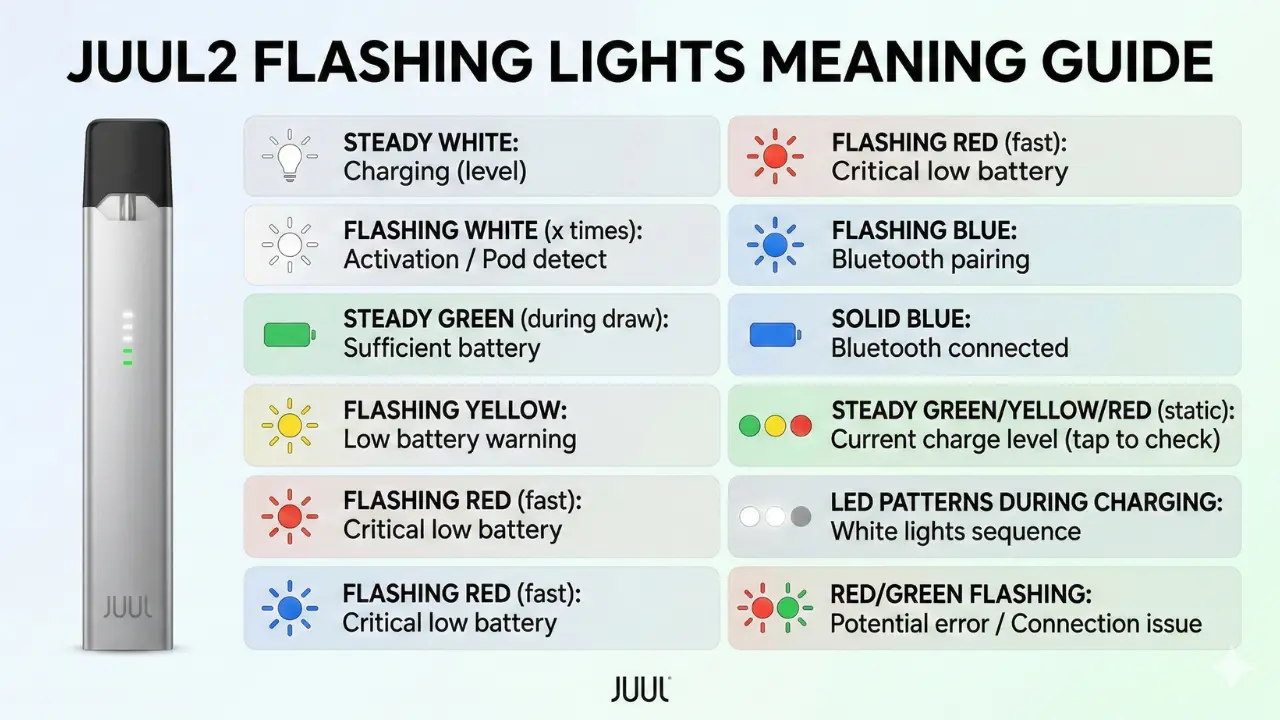
If all four LEDs glow red simultaneously, the device is likely locked.
JUUL 2 includes a security feature that allows you to lock the device through the companion app. When locked:
- The device will not fire
- All four red LEDs illuminate
- It requires unlocking via app
Open the official JUUL app, ensure Bluetooth is enabled, and unlock the device while within range.
If you have never intentionally locked the device, it may have auto-locked due to inactivity or connection settings.
Purple or Rainbow Flashing Lights
A purple or rainbow pattern is less common and usually indicates a pod recognition or device error.
Possible causes include:
- Pod not fully seated
- Dirty contact pins
- Damaged or defective pod
- Firmware communication issue
Start by removing the pod and reinserting it firmly. If the flashing continues:
- Wipe the metal contacts gently with a dry cotton swab
- Try a new JUUL 2 pod
- Ensure the device is charged
If the error persists after these steps, contact official support.
Why Is My JUUL 2 Blinking While Not in Use
Sometimes the device flashes even when you are not actively drawing from it.
Common reasons:
- Battery alert
- Device auto lock
- Bluetooth pairing notification
- Pod connectivity shift
A quick tap or gentle shake should not trigger blinking. If it does, inspect the pod seating.
JUUL 2 Troubleshooting Checklist for UAE Vapers
Before assuming the device is faulty, go through this simple checklist.
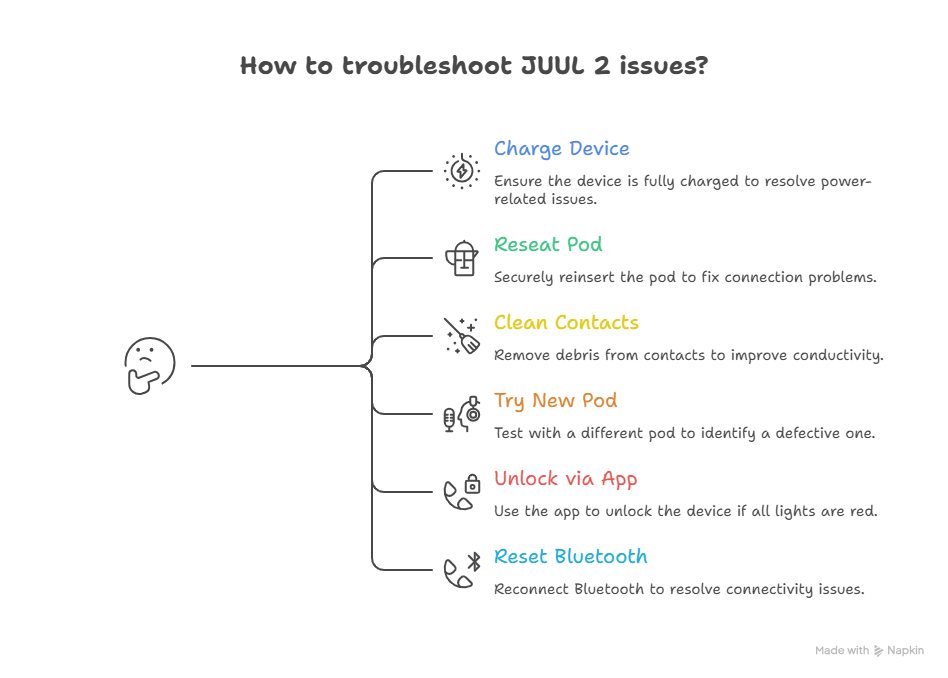
- 1. Fully Charge the Device : Plug it in and wait until the white pulsing stops completely.
- 2. Remove and Reseat the Pod : Pull the pod out and push it back firmly until secure.
- 3. Clean the Contacts : Use a dry cotton swab to clean both pod base and device contacts.
- 4. Try a Different Pod : If the issue disappears with a new pod, the original was defective.
- 5. Unlock Through the App : If all four lights are red, open the app and unlock.
- 6. Reset Bluetooth : Turn Bluetooth off and on, then reconnect.
Most blinking issues are resolved by step two or three.
When You Should Stop Using the Device
There are rare situations where flashing may indicate something more serious.
Stop using the device if:
- The device becomes unusually hot
- Flashing continues after charging and pod replacement
- There is visible damage to the battery casing
- Charging causes repeated abnormal blinking
In these cases, contact official support directly. Do not attempt to open or repair the device yourself.
JUUL 2 Performance Review: Battery Longevity in Middle East Climates.
How to Prevent JUUL 2 LED Errors
Preventive care reduces blinking errors significantly.
Follow these best practices:
- Avoid leaving the device in extreme heat, such as inside a car
- Use original charging accessories
- Store pods in a cool, dry place
- Keep contacts clean
- Avoid forcing pods into the device
Most LED issues come from environmental stress or pod connection problems.
Official Support and Warranty Help
If troubleshooting does not solve the issue, visit the website of your retailer like Podsxpress, or visit the official support page of JUUL Labs, Inc. for warranty and assistance options.
Do not purchase replacement parts from unverified sellers. Using non-approved accessories can trigger inconsistent LED behavior.
Final Thoughts
A flashing JUUL 2 can look alarming at first. In reality, the LED system is simply communicating device status. Once you understand the meaning behind each color and pattern, troubleshooting becomes logical and fast.
Most issues are solved by charging the battery, reseating the pod, or unlocking through the app. Persistent blinking after these steps is uncommon and should be directed to official support.
Understanding your device prevents unnecessary replacements and helps you maintain consistent performance over time.
Frequently Asked Questions
Why is my JUUL 2 flashing red and not hitting?
Red usually means low battery. Charge fully before assuming the pod is defective.
What does purple light mean on JUUL 2?
Purple or rainbow flashing typically signals a pod recognition or internal error. Reseat the pod and clean contacts first.
Why are all four lights red on my JUUL 2?
All four red lights typically indicate the device is locked and must be unlocked through the official app.
How long should I charge JUUL 2?
Charge until the pulsing white light stops. Full charge time may vary based on battery level and power source.
Is a blinking JUUL broken?
Not usually. Most blinking patterns are status signals rather than hardware failure.
Why is my JUUL blinking multiple colors?
If your JUUL2 is blinking multiple colors, it usually indicates a pod connection issue, low battery, or a device error that requires reseating the pod or charging the device.
What do the lights on the JUUL mean?
White lights will flash to indicate your JUUL2 pod is authentic and purple lights will flash to indicate pod e-liquid level.
How to tell if a vape battery is damaged?
It Doesn’t Hold a Charge. If your vape used to last all day and now barely makes it through lunchtime, that’s a sign of degradation.
What does the flashing light mean on a vape?
The battery is dead.
How long does a JUUL2 pod last?
On average, a single JUUL2 pod holds about 1.2 mL of e-liquid and typically delivers around 200 puffs before it needs replacing.
