

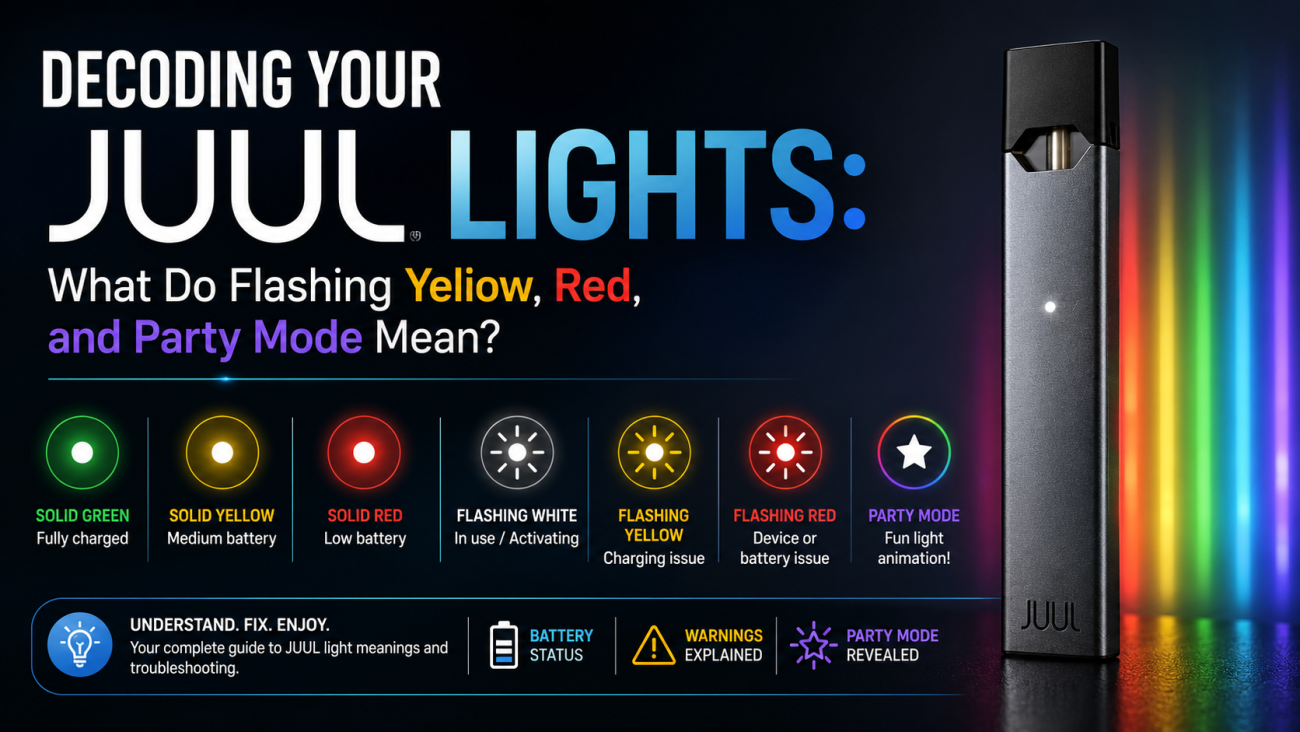
You glance at your JUUL and it’s flashing a color you didn’t expect. Now you’re not sure whether to charge it, troubleshoot it, or replace it. That confusion is common and mostly unnecessary. The LED is a communication system, and every color and pattern carries a specific message about battery level, charging status, pod connection, or device health. This guide covers every JUUL light meaning, what’s normal, what signals a problem, and how to fix the most common issues.
If you’re brand new to the device, it helps to start with a solid foundation our Beginner’s Guide to JUUL covers how the device works, how to set it up, and the basic mistakes first-time users make. For those already using the JUUL 2, the LED system works slightly differently, and our JUUL 2 Flashing Lights Guide covers that model specifically.
Understanding the JUUL LED Indicator
Because the JUUL has no screen or buttons, the LED is its only way to communicate. It uses two things at once color and behavior. A solid yellow light and a flashing yellow light mean completely different things. That one distinction changes the entire diagnosis.
Battery Status Lights
- Green : Battery fully charged
- Yellow : Medium charge remaining (roughly 25–50%)
- Red : Low battery; charge soon
All three are normal status updates, not errors. They appear briefly each time you draw on the device, confirming current charge level.
Charging Lights
- Pulsing white : Charging in progress
- Solid green : Fully charged, safe to unplug
- No light : Battery completely drained, or a connection issue preventing charging
Warning Lights
- Flashing yellow : Charging or connection disruption
- Flashing red : Battery fault or hardware issue
- Repeated white flashing : Pod connection problem
Special Light Effects
Party Mode produces a rainbow LED animation. It’s a hidden Easter egg built into the firmware not an error, and it has no effect on how the device operates.
Quick Guide: What Every JUUL Light Means
| Light Pattern | Meaning | Normal? | Action |
|---|---|---|---|
| Solid Green | Battery full | ✅ | None |
| Solid Yellow | Medium battery | ✅ | Recharge soon |
| Solid Red | Low battery | ✅ | Charge device |
| Pulsing White | Charging in progress | ✅ | Wait until green |
| Flashing Yellow | Charging or connection issue | ⚠️ | Check charger and contacts |
| Flashing Red | Battery or device fault | ⚠️ | Troubleshoot |
| White Flash (During Use) | Normal activation | ✅ | None |
| Party Mode (Rainbow) | Hidden animation | ✅ | Just for fun |
What Does a Flashing Yellow Light Mean?
Flashing yellow during charging means the connection is being interrupted not that the device is broken. It’s the JUUL light issue UAE users encounter most often, largely due to dust, pocket lint, and the prevalence of cheap third-party chargers sold in the market.
Common Causes
- Dirty charging pins top cause, especially in dusty or sandy environments
- Faulty or budget-brand charger
- Damaged USB cable
- Underpowered wall adapter
- Charging from a nearly-dead power bank
A related issue worth reading about: if your device is lighting up but producing no vapour, dirty contacts are often the culprit there too. Our guide on Why Is My JUUL Pod Not Producing Vapor walks through that problem in full.
How to Fix It
- Unplug the charger completely
- Wipe the charger pins and device contacts with a dry cotton swab
- Reattach the charger flat and even on both sides
- Switch to a wall adapter if using a laptop port
- Try a different USB cable
- Test with a completely different charger
Most users resolve this at step two. Contacts collect debris faster than people expect, weekly cleaning prevents most recurring flashing yellow issues before they start.
What Does a Flashing Red Light Mean?
Solid red means low battery normal. Flashing red signals a battery fault, critical depletion, overheating, or internal hardware failure.
UAE summers are particularly hard on lithium-ion batteries. Leaving a device in a parked car during summer, where interior temperatures regularly exceed 70°C, causes exactly the kind of battery stress that eventually shows up as flashing red. If you want a deeper read on how heat affects your battery specifically, see our article on JUUL 2 Battery Performance in UAE Heat.
Signs of Battery Failure
- Battery drains much faster than before
- Sessions have become noticeably shorter
- Device shuts off unexpectedly with charge still showing
- Flashing red appears right after what should have been a full charge
How to Fix Flashing Red
- Charge fully for 60 minutes , a drained battery may take a few minutes before the LED responds
- Clean contacts to rule out a connection fault
- Test with a different charger; let the device cool if it’s been in heat
- Replace the device if flashing red continues after a full charge
If you’ve already worked through these steps and the device still won’t perform, our Top 10 Common JUUL Device Problems and Fix guide covers the full range of hardware-level issues and their solutions.
What Does a White Light Mean?
White Light While Vaping
A brief white flash during a draw is completely normal , the device confirming it activated. No action needed.
White Light While Charging
Slow, rhythmic pulsing white while plugged in means charging is in progress. It shifts to solid green when complete.
Flashing White Repeatedly
Rapid repeated white flashing (not during charging) points to a pod issue. Remove the pod, wipe the contacts with a dry swab, and reinsert firmly. If it continues, try a fresh pod from the JUUL 2 Pods category to isolate whether the fault is with the pod or the device itself.
What Is JUUL Party Mode?
Party Mode is a hidden Easter egg in the firmware that triggers a rainbow LED animation for a few seconds. Nothing else changes , vapor production, battery behavior, and performance are all unaffected.
How to Activate Party Mode
Tap the side of the device firmly four to five times in quick succession. Slow taps usually don’t register. The animation runs briefly and stops on its own. The battery needs some charge for it to activate.
Can Party Mode Cause Problems?
No. It’s intentional, built-in, and has zero effect on battery life or device performance. It doesn’t void any warranty. If you’re curious about what else the device can and can’t do, our JUUL vs JUUL 2 Key Differences article is worth a read , the two models handle certain features differently.
Why Is My JUUL Flashing but Not Working?
Dead Battery
Residual charge powers the LED but not the coil. Charge first.
Pod Not Connected Properly
A pod that looks inserted but hasn’t made full contact prevents vapor. Remove and firmly reseat. Browse our JUUL Pods collection if you need a replacement , genuine pods make a real difference to connection reliability.
Dirty Contacts
Residue or dust on the pod compartment contacts breaks the connection. A dry cotton swab fixes it.
Charging Failure
If the device hasn’t charged properly, residual power may light the LED while the coil can’t heat.
Internal Device Fault
If none of the above works, an internal component has failed. See our full JUUL Device Not Hitting – Quick Fixes guide before deciding to replace the device.
JUUL Light Meanings During Charging
Normal sequence: Battery Empty → Pulsing White → Solid Yellow → Solid Green. A full charge takes roughly 60 minutes.
One common issue during charging is using the wrong accessories. Cheap adapters and cables are the single biggest cause of flashing yellow errors. If you want to understand what genuine JUUL accessories look like and why counterfeits are a real problem, our Why Buying Cheap JUUL Pods Are a Red Flag in the UAE piece explains the authentication issue in full.
Common User Mistakes That Trigger Warning Lights
- Cheap or incompatible chargers with unstable voltage
- Leaving the device in a hot parked car
- Pocket lint in the charging port and pod compartment
- Using a cracked or leaking pod
- Charging from a nearly-empty power bank
- Dropping the device , internal damage isn’t always visible
If you’ve been making any of these mistakes with the JUUL 2 specifically, our Common JUUL 2 Mistakes UAE Users Make article covers a broader list of habits that quietly shorten device life.
How to Fix Most JUUL Light Problems
- Charge fully : verified charger, 60 uninterrupted minutes. If you need a replacement device that charges reliably, the JUUL Device category has both the Silver and Slate models available.
- Remove and reinsert the pod : inspect for damage, push firmly back in. Pick up genuine pods from the JUUL 2 Pods collection if yours is worn.
- Clean the contacts : dry cotton swab on pod compartment and charger pins; dry completely before reconnecting.
- Test another charger : rules out the original charger as the source.
- Allow the device to cool : 20–30 minutes at room temperature if it’s been in heat.
- Restart : remove pod, wait 30 seconds, reinsert. Clears minor glitches.
- Replace the pod : confirms whether the fault is the pod or the device. Shop Crisp Menthol JUUL 2 Pods or Virginia Tobacco JUUL 2 Pods if you need a fresh start.
- Replace the device : if all above fails, the device has an internal fault. The JUUL 2 Starter Kit is the cleanest way to start fresh.
How to Prevent JUUL Light Errors
- Clean contacts weekly with a dry cotton swab
- Charge before the battery fully depletes
- Keep away from water, humidity, and direct sunlight
- Never leave in a hot parked vehicle
- Use quality, compatible chargers only
- Store in a case or dedicated pocket
- Replace cracked or leaking pods immediately , the JUUL 2 Pods range has all current flavors in stock
For a more detailed maintenance routine, our JUUL Cleaning Guide covers exactly how often to clean each part of the device and what to use.
JUUL Light Meanings Comparison Table
| Light | Meaning | Severity | Solution |
|---|---|---|---|
| Green | Fully charged | None | Continue using |
| Yellow | Medium battery | Low | Recharge soon |
| Red | Low battery | Low | Charge device |
| Flashing Yellow | Charging issue | Medium | Check charger and contacts |
| Flashing Red | Battery or device fault | High | Troubleshoot; replace if needed |
| White | Active or charging | None | Normal |
| Flashing White | Pod connection fault | Medium | Remove and reinsert pod |
| Party Mode | Hidden animation | None | No action needed |
Quick Troubleshooting Checklist
| Problem | Solution |
|---|---|
| Flashing yellow | Clean contacts; try a different cable |
| Flashing red | Charge 60 minutes; cool device if needed |
| White flashing | Remove pod, clean contacts, reinsert firmly |
| No light | Charge immediately; wait 10 min for LED response |
| Won’t charge | Replace USB cable; clean contacts; try new charger |
| Lights but no vapour | Try a different pod first; then clean contacts |
When Should You Replace Your JUUL?
Replace when flashing red persists after a full charge, battery drains in under 15 minutes, the device won’t charge with multiple cables and chargers, pod detection fails repeatedly, water exposure has occurred, or physical damage is visible.
If you’re unsure whether to repair or replace, the JUUL 2 Not Working — Common Issues and How to Fix Them guide helps you make that call systematically. When you do decide to replace, you can browse the full JUUL Device range , the JUUL Silver Device and JUUL Slate Device are both available for immediate delivery across the UAE.
Frequently Asked Questions
Why is my JUUL flashing yellow?
Dirty contacts, a loose charger, or a faulty cable. Clean contacts and swap the cable first.
Why is my JUUL flashing red?
Battery fault, overheating, or critical depletion. Charge fully and let it cool; replace if it persists.
What does the white light mean?
Single flash = normal activation. Slow pulse = charging. Repeated rapid flash = pod issue.
What is JUUL Party Mode?
A hidden rainbow LED animation — purely cosmetic, no functional effect.
Can Party Mode damage my JUUL?
No , intentional feature, no effect on the device.
Why is my JUUL flashing but not producing vapour?
Try a fresh pod before assuming the device is at fault. Shop the JUUL Pods collection for genuine replacements.
When should I replace my JUUL?
When warning lights persist after all troubleshooting, or physical/water damage is present. The JUUL 2 Device Slate Grey is a popular choice for UAE users upgrading from an older device.
Common JUUL Light Myths
| Myth | Reality |
|---|---|
| Flashing red = dead battery | Can also be overheating or a hardware fault |
| Party Mode improves performance | Purely cosmetic , no effect on any device function |
| White light = battery full | White = activation or charging; green = fully charged |
| Flashing yellow = broken device | Almost always a cable or contact fix that takes two minutes |
| Overnight charging causes warning lights | Modern circuits manage this automatically; a quality charger is still recommended |
Expert Tips to Keep Your JUUL Working Properly
- Clean charging contacts once a week with a dry cotton swab , 30 seconds
- Replace any USB cable showing visible wear before it causes a charging error
- Store away from heat, humidity, and direct sunlight
- Check the pod compartment for lint every few days, particularly if carried in a pocket
- Recharge before the battery fully depletes, repeated full drain accelerates battery ageing
- Use only genuine JUUL pods from a verified source; counterfeits are a persistent problem in the UAE market. All pods on Juul Dubai are 100% authentic
- If warning lights continue after all troubleshooting, stop using the device until the cause is confirmed
For a complete device care routine, our How to Properly Maintain Your JUUL Device for Longevity guide covers everything from weekly cleaning to long-term storage.
Conclusion
Every JUUL light has a specific meaning, and reading color and behavior together makes the LED genuinely useful. Green, yellow, and red cover battery level. Pulsing white means charging is happening. Flashing yellow and flashing red both have practical fixes in most cases. Party Mode is harmless.
Clean the contacts regularly, use quality accessories, and keep the device away from heat. When warning lights persist despite thorough troubleshooting, the device is telling you something no cable swap will fix and that’s when a replacement from the JUUL Device range, paired with fresh pods from the JUUL 2 Pods collection, is the cleanest path forward.
